In the previous episode - Me and my agent, I had just barely installed Hermes agent. Now, two weeks later, more reporting on my agentic experiment.
Short version: I still feel that it is worth it and useful. I have added only one more recurring event to it (crawling my LinkedIn feed for notifications about people I am actually directly linked to), but it has pretty much replaced my all other search engines (and AI chats), as I like having history of the conversations, as well as potentially having them be bit more private down the road. The search experience is also superior to anything else commercial. Perplexity used to be nice, but I never got around to paying for it, and the free experience tanked badly this year; Claude/ChatGPT usually don’t reveal their sources consistently which makes them worthless to me as search engines as sometimes the LLM does make mistakes.
So, what have I been fiddling with on the technical front? Here’s three things I did previous week. This week’s adventures will be in a follow-up post as it remains to be seen what I do :-)
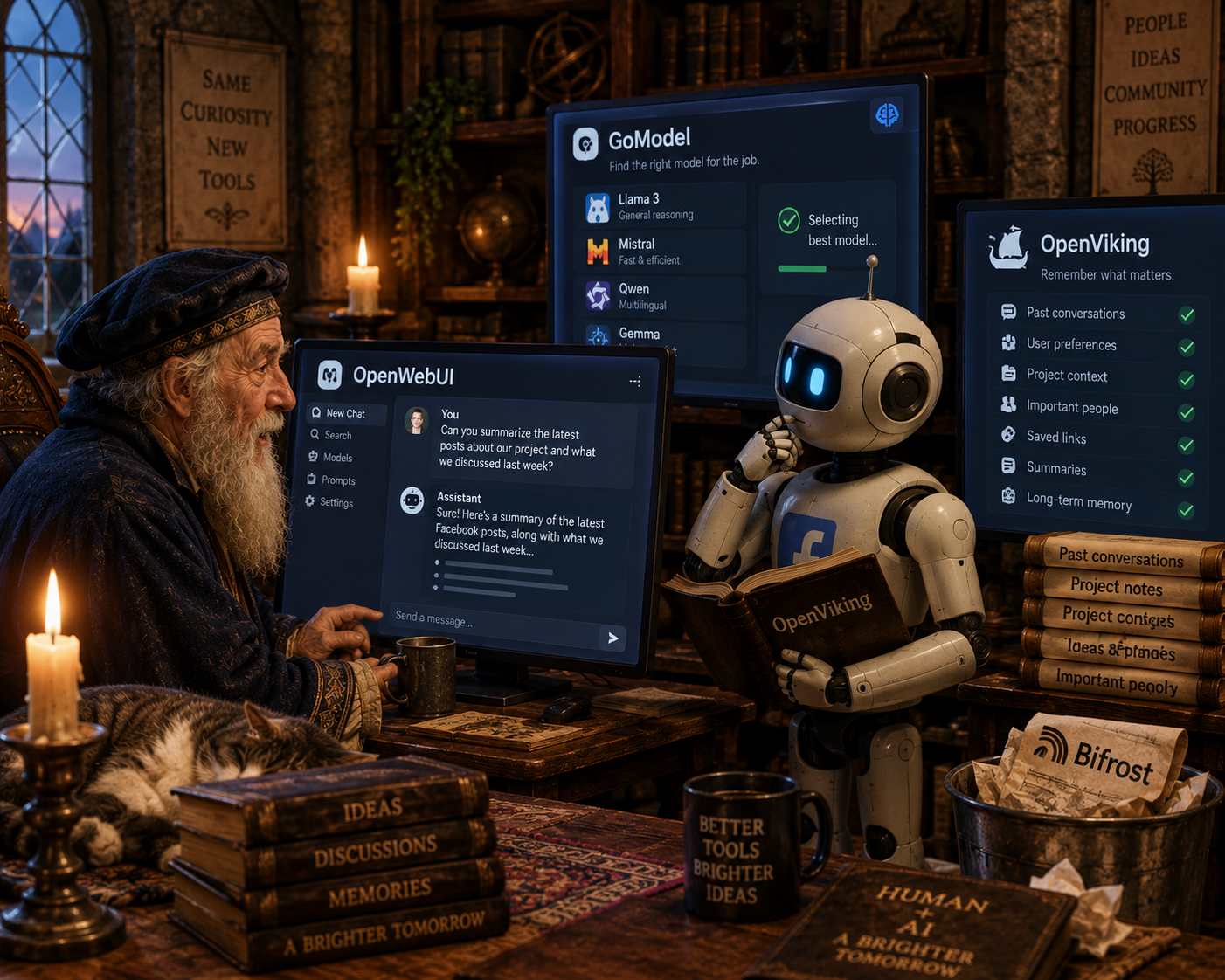
Giving my agent better LLM access: GoModel
I have used Bifrost most of this year, but as they consistently refused to make model aliases visible in model listing ( https://github.com/maximhq/bifrost/issues/2655 and later on https://github.com/maximhq/bifrost/issues/3278), I finally decided to evaluate alternatives.
I had shortlist I had been looking at, and first pick from it, GoModel, delivered. With it, I can define model aliases, and have fallbacks for the models in the alias, and have the alias visible in the OpenAI /v1/models endpoint so most of the point-and-clicky software ‘just works’ with it.
It also has pretty enough UI:
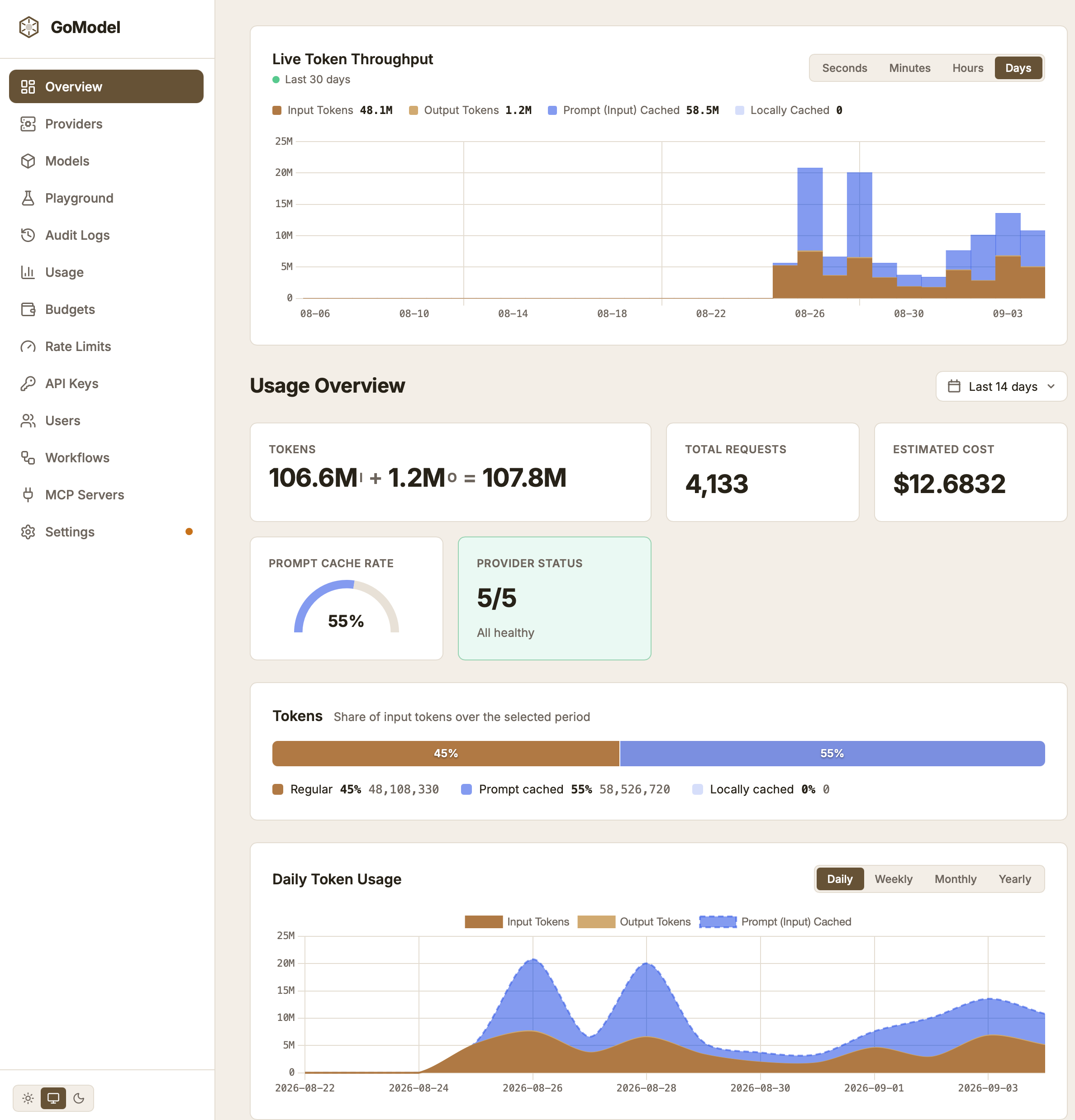
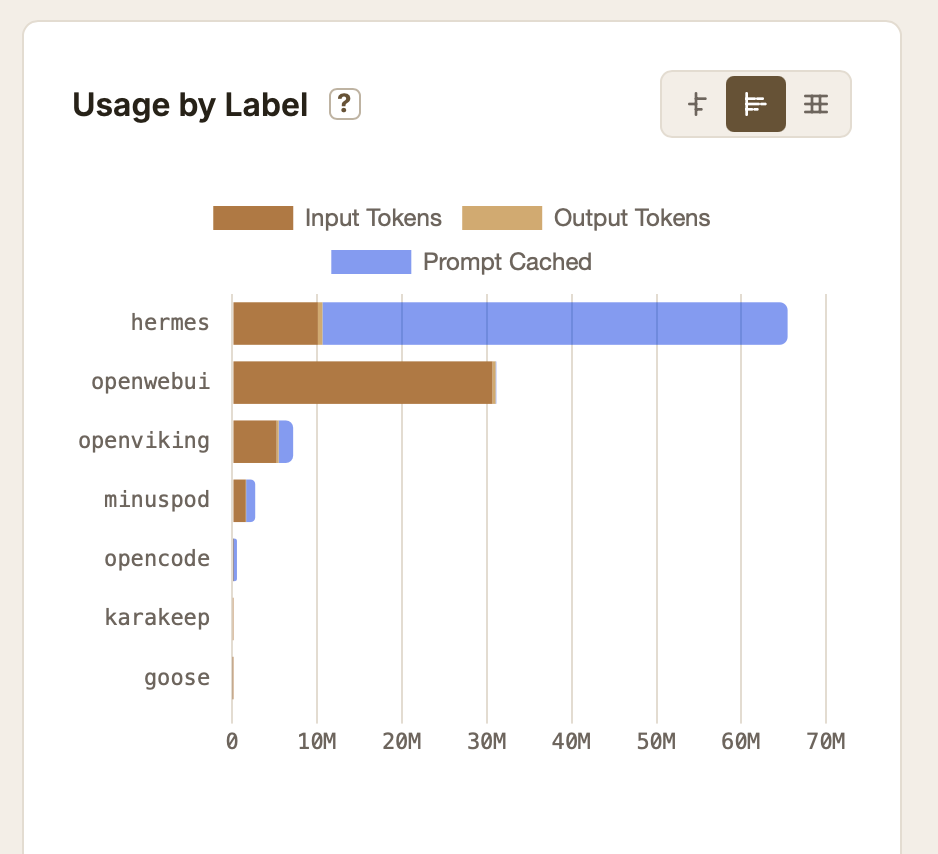
It also has auditing of requests, and I can see in real-time which requests have failed (and why), as well as distribution by labels I have given to different access keys:
Anyway, great success with it. (I have not routed my main coding agents through it, opencode and goose were just tests).
Giving my agent long-term memory: OpenViking
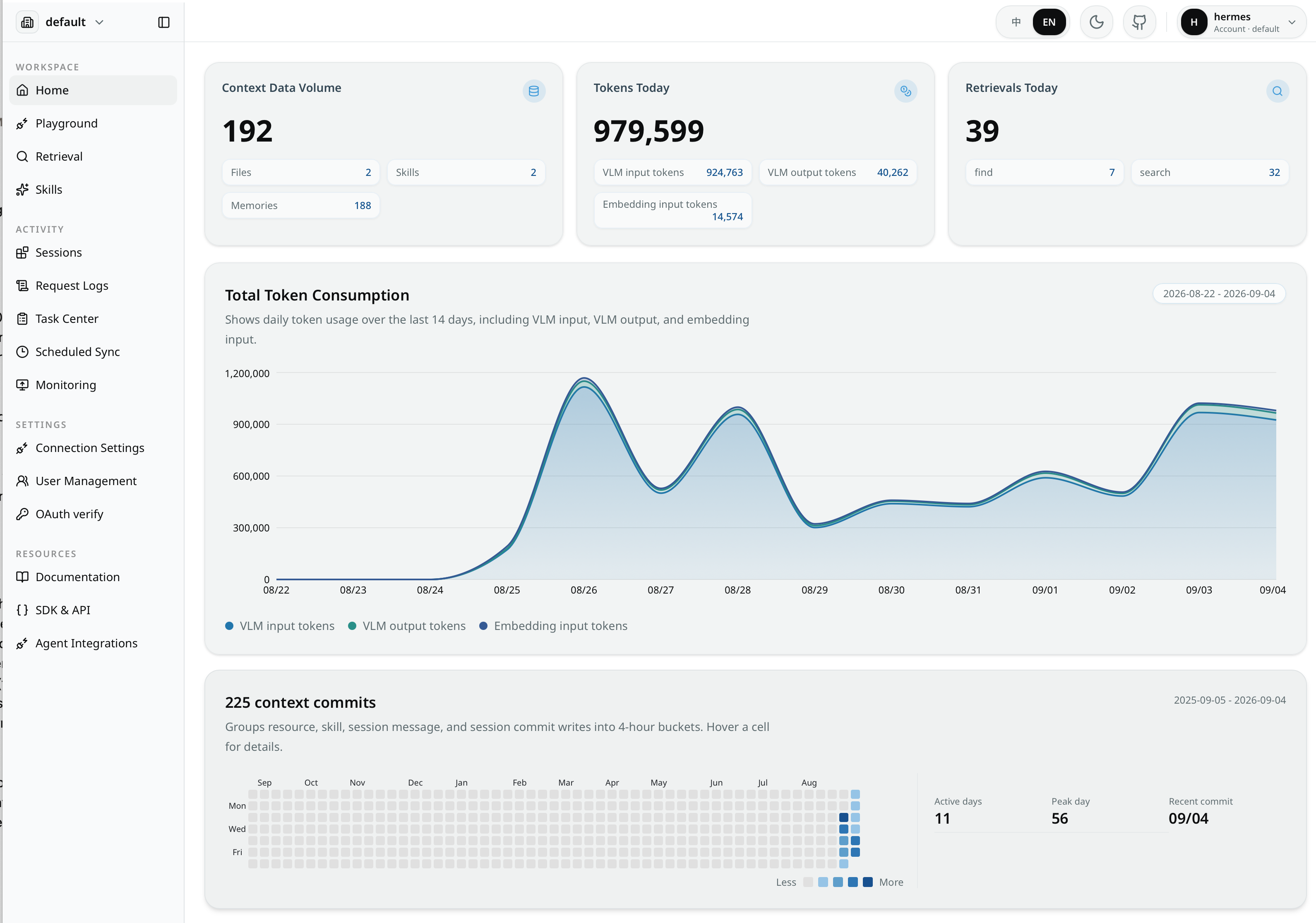
The built-in Hermes memory system is very limited. There is 2000 tokens long MEMORY.md and bit shorter USER.md where it stores something relevant about the user. Fortunately it has built-in support for a number of different memory backends, and after brief evaluation I settled on OpenViking. It has worked so far quite well, and it has also nice interactive UI to browse the data agent has stored there (all sessions I have with it go there, and knowledge is extracted from them using LLM).
The LLM access is of course routed through GoModel (and then to oMLX on my Macs, or as fallback, ollama on my local x86 server, so this processing is actually outside the cloud).
Having nicer UI to the agent: OpenWebUI
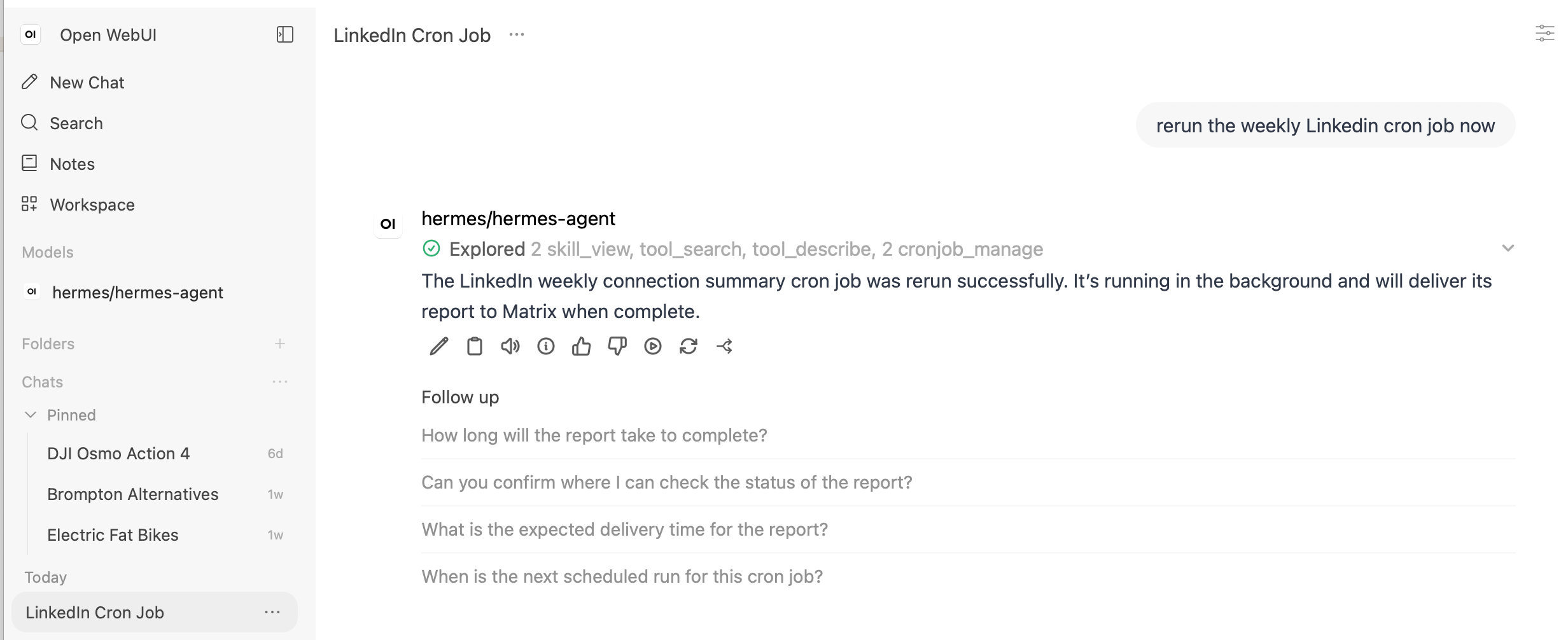
My initial installation used just Matrix, but it is bit clunky to switch between different threads in it to access different Hermes sessions. The terminal-like native text UI of Hermes I did not find very appealing either, so I chose to (re)use OpenWebUI I had already installed years ago on frankenrouter for this too, as Hermes supports OpenAI API as the client interface (this is the ‘openwebui’ usage above - there is nothing cached in the requests unlike the other keys as the traffic goes only between OpenWebUI and Hermes agent, and not to real LLM.
The default Hermes experience using completions API was ‘ok’ but not great, as it did not show tool use or their results. Luckily I found out that the ‘responses’ API does show them, and that makes the experience perfect from my point of view.
This is what looks like for me:
And in the next episode..
I am actually not sure. There’s bunch of things I plan to write about eventually:
- some obnoxious Hermes behaviour and how to avoid it
- defaults I didn’t like and how I changed them
- internet searching and how to do it sensibly
what model(s) I like to use
We shall see what comes out (and when)!